Issue Tracking Software
RMTrack will help you manage your work, track it efficiently, and collaborate with your team wherever they are.
Great Support

We invite you to call or email our support group anytime.
If you are evaluation RMTrack and have any questions about how RMTrack can best be configured for your unique needs, please call or email our support group. RMTrack can support a wide range of business and manufacturing processes and we have a support specialist standing by to assist you in configuring RMTrack to meet your precise needs.
Our full and robust Administration and User Guide is also a great source of information.
Dynamic Filtering
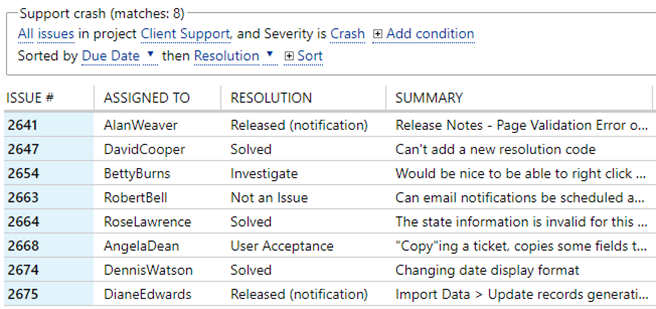
The main page of RMTrack displays a list of items accessible by the logged-on user. The list can easily filtered by clicking on the conditions and selecting what you want to see. Lists can be sorted by multiple columns and columns can be rearranged by dragging into place.
Filters and column positions can be saved and shared between users.
The list can be downloaded as a .xlsx or .csv file with one click.
Reporting
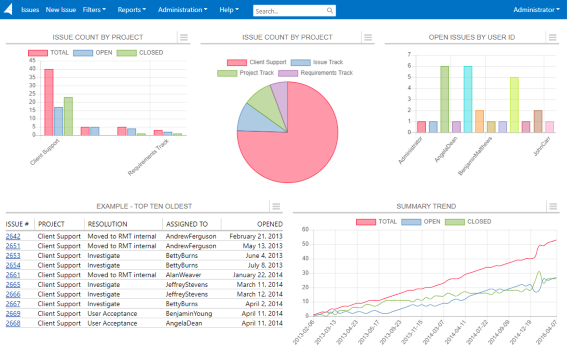
Advanced reporting is available through RMTrack's custom reporting engine. You can choose between a variety of report styles, including dashboard, columnar, charts (bar, line and pie), and for the ultimate in flexability, a HTML template driven report.
Column oriented reports also offer unique drilldown capabilities via hyperlinks.
Customizable Forms
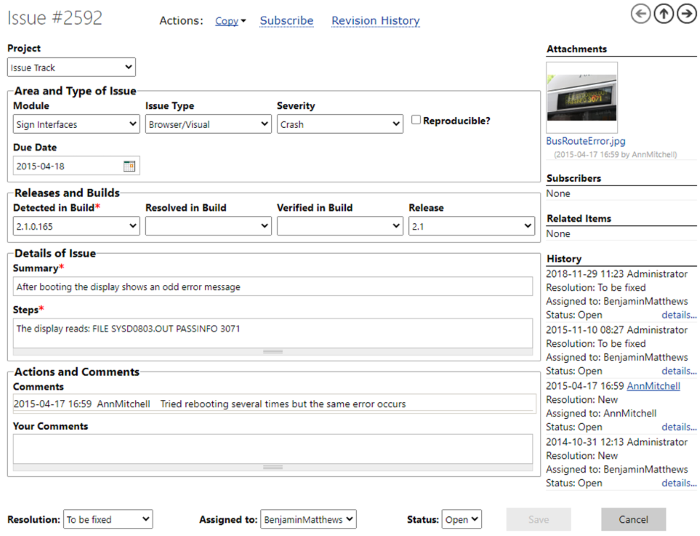
Full support is provided for defining data entry forms. Each project can have its own data entry form or share a common one. You can also define public forms that anyone can use to submit information.
- Modern data entry form designer
- Dropdown lists are fully customizable and multi-level
- Multi-level dropdowns
- Drag-and-drop file attachments
- Audit trail of all changes
Custom Fields
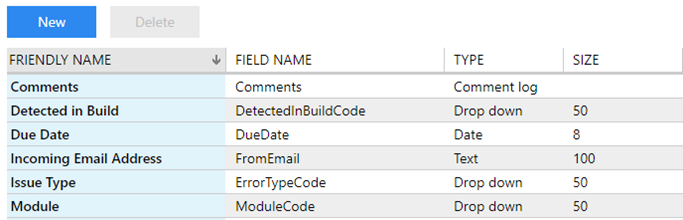
Custom fields go hand in hand with customized forms. Multiple field types are available including text, numeric, dropdowns, dates, checkboxes, computed fields, and logged comments.
Group level security controls what permissions users have for each field (none, inquiry, update).
E-Mail Notifications
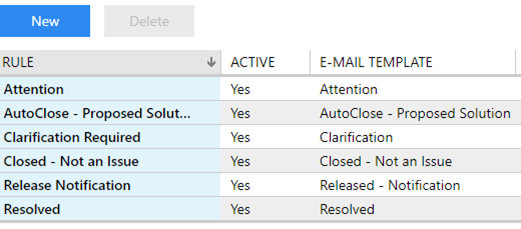
E-Mail notification rules ensure that project members are kept up to date on all assignments. The notification rules are fully customizable and each project can have its own rules or share in rules that apply to all projects.
- Recipients by function (creator, assignee)
- Unlimited number of notification rules
- User defined template-based e-mail messages
Workflows
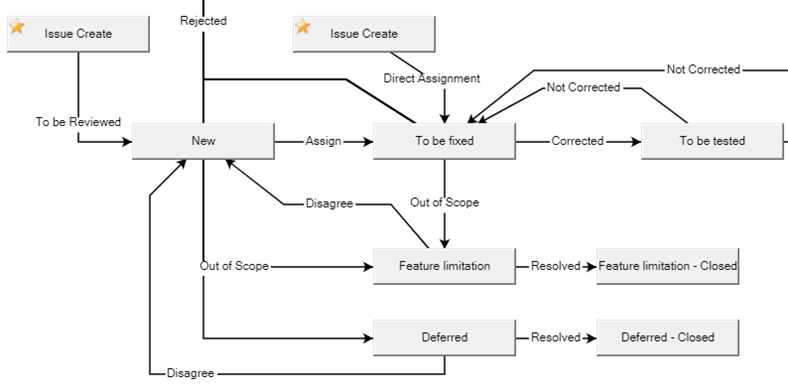
Workflow configurations control who an item can be assigned to, the valid values for the resolution and status fields, and basic data entry validations. RMTrack installs with a default workflow configuration that can easily be changed or replaced entirely.
- Unlimited number of workflows
- Each project can share a common workflow or have its own
- Ability to define required fields at each state of the workflow
- Automatic "escalation" for service level agreements
Security
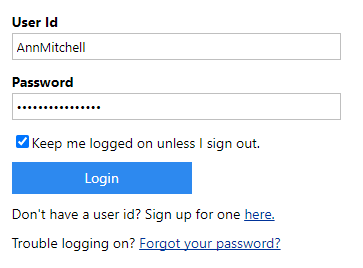
Access to RMTrack is controlled by user id and password. This can be RMTrack logon or using Windows authentication. RMTrack authentication allows password strength and recovery options to be configured to your needs.
Optional public projects allow users to create their own account and gain access to the any projects marked public. Useful for support desk type projects.
User security types allow control over access to features and Project team membership controls access at the item level. Users can only see items in projects they belong to.
User group membership allows granular security to be applied down to the individual field level. Groups can be granted full inquiry and update access to individual fields, view only, or fields can be completely hidden.
All updates to items are audit logged with the user id and date stamp.
Password verification can be enabled at specific steps in the workflow process using the eSignatures feature. This requires users to verify their identity before saving an item.